> For the complete documentation index, see [llms.txt](https://www.designreference.xyz/llms.txt). Markdown versions of documentation pages are available by appending `.md` to page URLs; this page is available as [Markdown](https://www.designreference.xyz/cognitive-tools/universal/problem-solving/abstraction-laddering.md).
# Abstraction Laddering
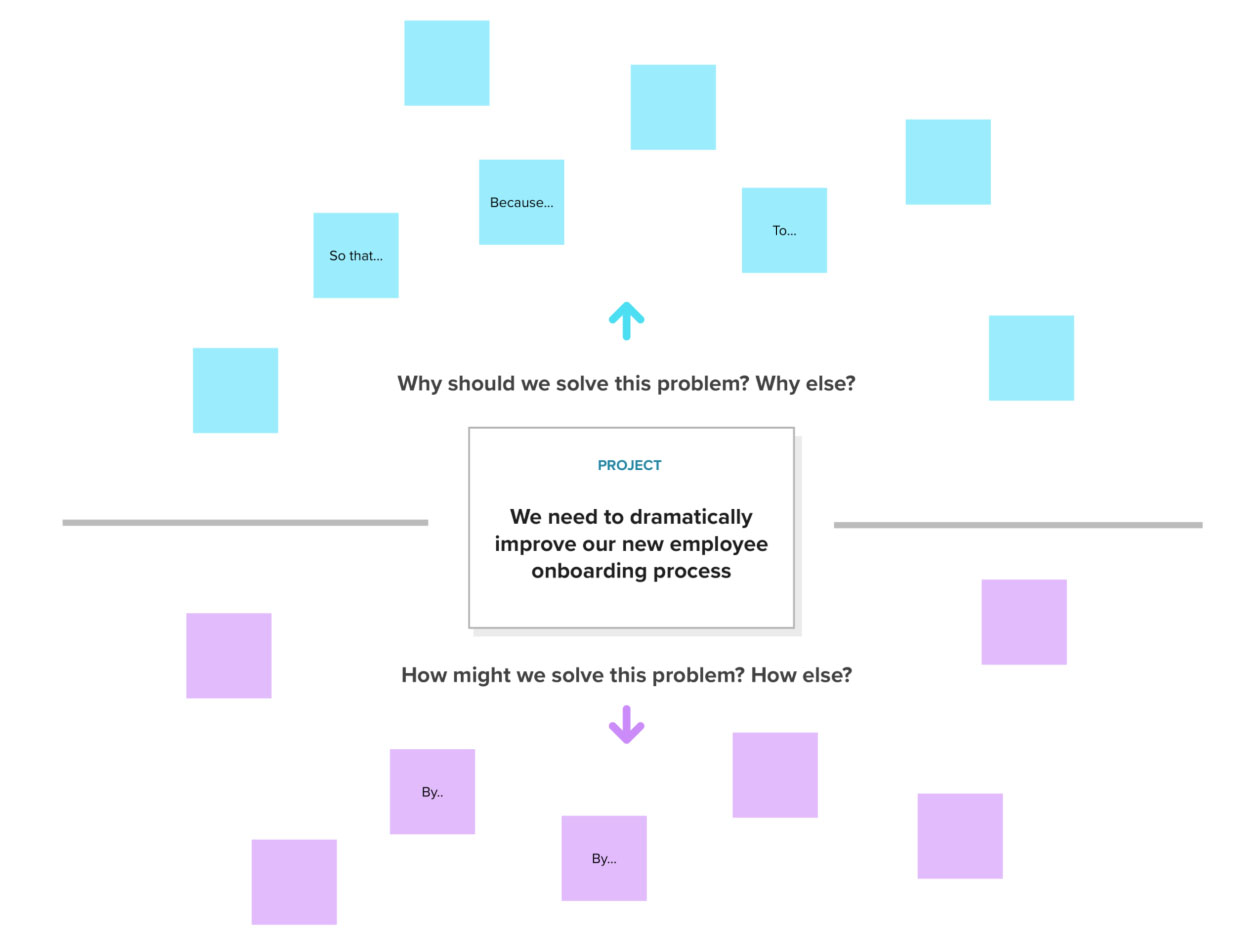
Abstraction laddering is a powerful tool for understanding and framing problems at different levels of detail. It helps you move between the big picture and the specific details, allowing you to see the forest for the trees and the trees for the forest.
#### How it Works
1. **Start with a problem statement**: Begin with a specific problem you want to solve. This is your starting point on the ladder.
2. **Move up the ladder**: Ask yourself "why" to move up the ladder. This helps you understand the underlying reasons and motivations behind the problem. For example, if the problem is "low customer satisfaction," you might ask why customers are dissatisfied. This could lead to answers like "poor product quality" or "lack of customer support."
3. **Move down the ladder**: Ask yourself "how" to move down the ladder. This helps you identify specific actions or solutions to address the problem. For example, if the problem is "poor product quality," you might ask how to improve product quality. This could lead to answers like "invest in better quality control" or "improve manufacturing processes."
#### Example
Let's say you want to improve your company's sales performance. Here's how abstraction laddering could help:
* **Start**: Low sales performance
* **Move up**: Why are sales low?
* Poor product quality
* Ineffective marketing
* Lack of customer trust
* **Move down**: How can we improve product quality?
* Invest in better quality control
* Improve manufacturing processes
* Train employees on quality standards
#### Benefits
* **Helps you see the big picture**: Moving up the ladder allows you to understand the broader context of the problem.
* **Identifies root causes**: By asking "why," you can uncover the underlying reasons for the problem.
* **Generates creative solutions**: Moving down the ladder encourages you to think of different ways to address the problem.
* **Improves communication**: It helps you communicate complex problems clearly and concisely.
#### Key Points
* You can move up and down the ladder as many times as needed to explore different levels of detail.
* There is no right or wrong way to use abstraction laddering.
* It is a collaborative tool that can be used with a team.
#### Further Reading
{% embed url="" %}
{% embed url="" %}
{% embed url="" %}
{% embed url="" %}
{% embed url="" %}
---
# Agent Instructions
This documentation is published with GitBook. GitBook is the documentation platform designed so that both humans and AI agents can read, navigate, and reason over technical content effectively. Learn more at gitbook.com.
## Querying This Documentation
If you need additional information that is not directly available in this page, you can query the documentation dynamically by asking a question.
Perform an HTTP GET request on the current page URL with the `ask` query parameter, and the optional `goal` query parameter:
```
GET https://www.designreference.xyz/cognitive-tools/universal/problem-solving/abstraction-laddering.md?ask=&goal=
```
`ask` is the immediate question: it should be specific, self-contained, and written in natural language.
`goal` is optional and describes the broader end goal you are ultimately trying to accomplish on behalf of the user. GitBook uses it to tailor the answer towards what is most useful for that goal.
The response will contain a direct answer to the question and relevant excerpts and sources from the documentation.
Use this mechanism when the answer is not explicitly present in the current page, you need clarification or additional context, or you want to retrieve related documentation sections.